How Crowcery is built 🛠️
A short tour of what happens between "snap a receipt" and tidy spending data:
the on-device computer vision, the AI reading step, and the infrastructure underneath.
Written for the technically curious; no prior knowledge needed.
The ten-second version: your phone does the image cleanup itself (OpenCV compiled
to WebAssembly), uploads one carefully prepared image per receipt page, a single AI call reads the
whole receipt into text, and a parser tuned per store chain turns that text into structured items.
Everything runs on Google Cloud and scales to zero when nobody's scanning.
photo ──▶ on-device cleanup ──▶ upload ──▶ AI read (OCR) ──▶ parse ──▶ check ──▶ your data
(OpenCV, in your (one image (one call, (per-chain (math
browser/app) per page) all pages) rules) must add up)
Part 1 · On your phone client-side
Before anything is uploaded, the app runs a small computer-vision pipeline locally, inside a web
worker, using OpenCV compiled to WebAssembly. The guiding rule: anything the phone
can compute, it should. It's faster (no round-trip), cheaper to run, and means your
multi-megabyte camera originals never need to leave the phone; the server gets small working copies
and one final cleaned-up image per page.
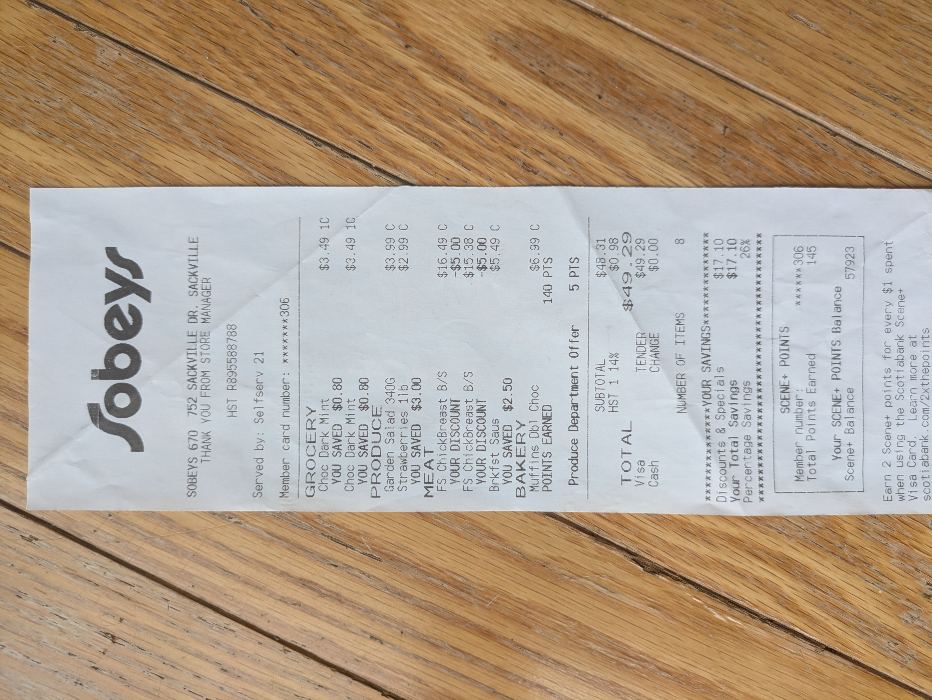
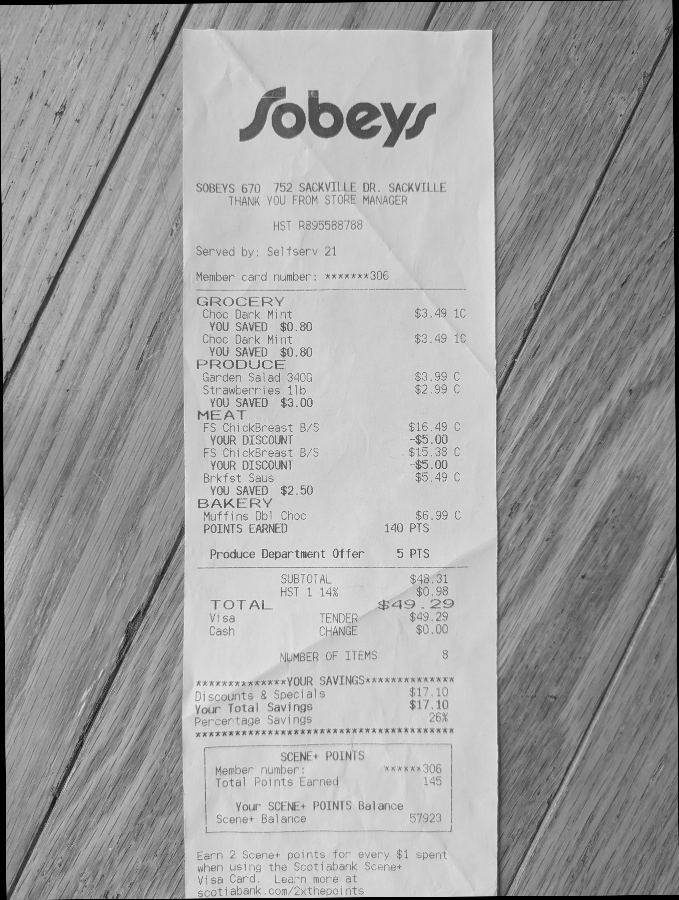
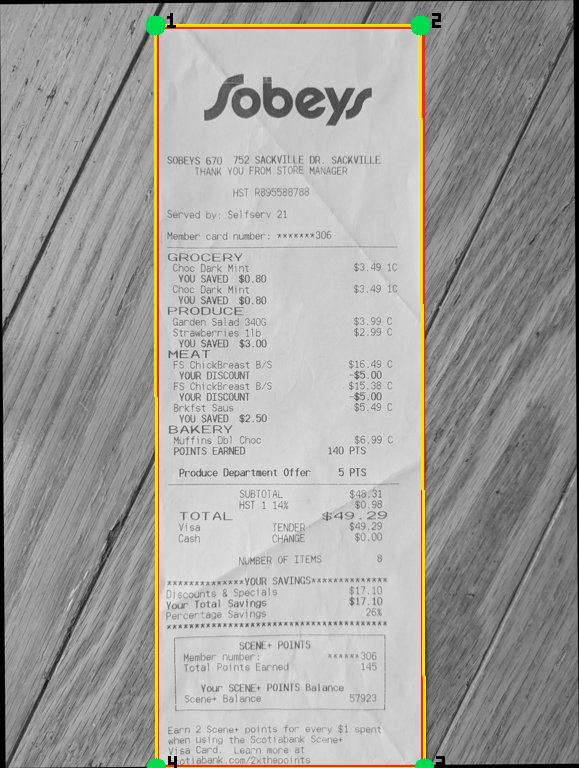
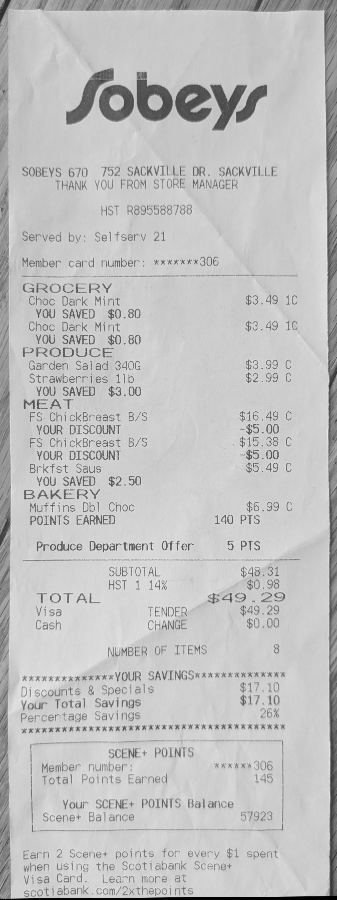
The photos below follow a real scan of one of the
sample receipts through the stages.
-
Capture. Snapping a receipt opens your phone's own camera: the
Android app drives it through a native bridge, a browser shows the standard camera prompt.
Picking an existing photo from the gallery works too. Either way the pipeline receives the
full-quality camera original.
- Quick checks. The photo is decoded and normalized, and a glare
detector looks for blown-out highlights that would erase printed text.
-
Straighten. A deskew pass estimates the paper's rotation: the
receipt is isolated with a paper-luminance mask (find the bright paper, ignore the table), then
edge geometry gives the angle, covering anything from a slight tilt to a photo taken fully
sideways. From here on the working copy is grayscale.
-
Find the receipt. One small AI call (Gemini, on a low-res copy)
returns the store chain, a bounding box, and the paper's four corners. For multi-photo receipts
there's also an overlap pre-flight: cross-correlation between consecutive shots warns you if the
segments don't actually overlap.
- Which way is up? Straightened isn't the same as right-side-up, and
classic computer vision can't read. So the phone crops the located receipt area into a small copy
and sends it to a Tesseract OCR probe, whose verdict catches upside-down and
sideways text. Geometry backs it up: a clearly landscape receipt box implies the paper is lying on
its side, and for multi-photo receipts the overlap between consecutive shots lets one confident
page correct its neighbours.
-
One-pass finish. All the geometry (deskew rotation, orientation,
perspective warp from the four corners or a plain crop when the paper is flat, and the final
downsize) is folded into a single resample. That matters: every extra JPEG re-encode
measurably degrades OCR accuracy, so the pipeline is built to keep the uploaded image one encoding
step away from the camera original. (One accepted exception: the Android app's camera bridge adds
a single unavoidable high-quality re-encode, measured as negligible for OCR.) The result is a
grayscale JPEG per page (extremely long receipts are split into two tiles).
- Upload. Photo metadata (GPS, camera serial) is stripped, and the
image goes straight to cloud storage through a short-lived signed URL; the upload bytes never pass
through the application server. If the pipeline flagged anything (unclear boundary, missing
overlap), you get a retake-or-upload-anyway prompt first.
Part 2 · On the server async worker
Scanning is asynchronous: the upload enqueues a job, a worker picks it up, and the app shows live
progress while you keep browsing. The worker service spends most of its life scaled to zero.
- Dispatch. A task queue (Cloud Tasks) pushes the job to the worker.
Per-instance limits cap how many receipts, decoded images, and AI calls are in flight at once, so
a burst of uploads degrades gracefully instead of falling over.
- One AI read: combined OCR. All of the receipt's pages go to a
single multimodal Gemini call, which returns the merged, ordered text of the whole receipt in one
shot. Personal information (names, loyalty card numbers, payment details) is redacted by the model
inside this same call, and a deterministic scrubber makes a second pass before any text is stored.
Long receipts automatically get a higher image-resolution tier.
- Parse, no AI needed. A deterministic Go parser turns the text
into line items: prices, quantities, discounts, deposits, tax codes. It's a state machine with a
tuned grammar per store chain (the Loblaws family, Costco, Walmart, Sobeys, Dollarama and more),
because every chain prints receipts differently: Costco's member pricing, Loblaws' loyalty
points, bottle deposits, multi-buy promos. Unrecognized stores fall through to a permissive
generic grammar in the same parser. Deterministic parsing is free, instant, and testable against
a corpus of real receipts.
- Receipt metadata. A small, cheap AI pass extracts the
receipt-level fields (store, address, date, payment method) and overrides the parser's
heuristics field by field, only where it's confident.
- Sanity check. A validator re-does the receipt's arithmetic: items
must sum to the subtotal, subtotal plus tax must equal the total, and the tax rate must match the
store's province (inferred from postal code, phone number, and the tax math itself). All money is
integer cents end to end, no floating point. Failures flag the receipt for review; they never
block it.
- Link & enrich. The receipt is matched to a store identity and
physical location, items are grouped into products across chains via their barcodes, price history
is updated, and badges (recurring buy, seen at multiple stores, price drift) are recomputed. The
first time a product appears, a tiny AI call expands the receipt's cryptic abbreviation into a
readable name ("PC YUZU H LEMON" becomes a real product name); the result is cached, so repeats
are free. Grocery items can also pick up a product photo from the Open Food Facts database.
- Live progress. Each pipeline step emits an event that streams to
the app, which is how the scan screen shows the receipt "developing" in real time.
Part 3 · The infrastructure Google Cloud
The whole system is two containers, a database, a bucket, and a queue. Deliberately small, fully
managed, and sized so an idle system costs close to nothing.
| App | SvelteKit single-page app; the Android app is the same app inside a thin native
shell (Capacitor) that loads the live site, plus the few native pieces a WebView can't do well:
the system camera, Google sign-in, and a barcode scanner for tagging products. One codebase for
web and Android, and because the shell loads the site, web updates reach the installed app
instantly. |
|---|
| API server | A single Go binary on Cloud Run that serves the SPA, the JSON API, and
real-time scan progress. Sign-in via Google Identity Platform; the server keeps sessions in an
encrypted cookie rather than handing tokens to JavaScript. |
|---|
| Worker | The same codebase's second binary, also on Cloud Run. Push-driven by Cloud
Tasks, scales to zero between scans. Periodic chores (cleaning up stuck jobs, account-deletion
retention, image-cache sweeps) run via Cloud Scheduler, because a scaled-to-zero container can't
run its own timers. |
|---|
| Database | Cloud SQL Postgres on a private network, not reachable from the internet.
Every user-facing query is tenant-scoped by design; it's the codebase's number-one invariant. |
|---|
| Storage | Google Cloud Storage. Uploads go direct-to-bucket with V4 signed URLs. Your
original receipt photo is auto-deleted within 7 days: a bucket lifecycle rule expires it and the debug/preview
artifacts derived from it automatically, so only the structured data we extracted persists. |
|---|
| AI | Vertex AI, the Gemini Flash family. Three small call shapes per scan (locate,
one combined OCR read, one metadata pass) plus the cached name-expansion call for never-seen
products. Every call's token usage and cost is recorded per receipt. |
|---|
| Deploys | GitHub Actions building containers and deploying via OpenID Connect
federation: the cloud trusts the CI run's identity directly, so no cloud keys are stored in CI.
Infrastructure is declared in Terraform. |
|---|
| Guardrails | Structured logs with warnings mirrored to Slack, and a hard monthly
budget cap with automated alerts and cut-offs. |
|---|
Why it's built this way
- Client-side first. Image work runs on the phone: server compute costs scale
per-user, upload bandwidth is orders of magnitude smaller for a processed image than camera
originals, and skipping a round-trip makes capture feel instant.
- One AI call where it counts, none where it doesn't. The expensive multimodal
model reads the receipt once; parsing is deterministic code that can be tested, fixed, and re-run
for free.
- Image quality is a one-way door. The single-resample rule exists because OCR
accuracy quietly dies by a thousand re-encodes, so the pipeline treats a second encode as a
regression to be caught, not a refactor option.
- Boring infrastructure on purpose. Managed services, scale-to-zero, no
Kubernetes, no self-hosted anything. A one-person project's scarcest resource is operations
time.